GALFITools: Usage Guide


Introduction
GALFITools constitutes a collection of specialized routines aimed at facilitating the utilization of GALFIT. The toolkit encompasses a spectrum of routines, spanning from mask creation, Point Spread Function (PSF) creation, Multi-gaussian expansion, sky computation, initial parameter estimation, to the comprehensive analysis of GALFIT’s output.
Upon successful installation of GALFITools, an ensemble of shell routines becomes seamlessly accessible through your bash (or zsh) environment. The text below elucidates the function and operation of each of these routines.
For a better understanding of the intricacies of each routine, an explanation of their respective parameters can be accessed by using the ‘-h’ option
This usage guide explains how to use the GALFITools routines. All of these routines are shell commands. If you wish to use the Python functions underlying these routines within your own scripts, please check the API Reference or galfitools module reference.
Many of the routines (particularly the GALFIT Output routines) require the GALFIT output file, typically named “galfit.XX”, where “XX” refers to a numerical identifier. These files are generated after GALFIT completes a fitting process. They serve as input for parsing data within these routines.
Components within the GALFIT file refer to individual surface brightness models, each following a specific order within the GALFIT file. A galaxy can be composed of a single component or multiple components. For instance, a barred galaxy can be model by 3 components: bulge, bar and disk.
To differentiate the components of different galaxies, components belonging to the same galaxy must share the same center. This is determined by a tolerance parameter specified by the ‘-d’ flag, which indicates the maximum allowable distance among components (default 10 pixels).
Important
Soome routines require the use of a DS9 region file as a input. The region file needs to be saved in image (or physical) coordinates. DS9 regions saved in World Coordinate System (WCS) coordinates will not work.
The instructional material presented herein is structured into five distinct sections, each devoted to a specific facet of GALFIT’s application. These sections are delineated as follows: GALFIT Input, GALFIT Output, Multi-Gaussian Expansion (MGE), Simulation of galaxy images, and Sky Computation.
Before presenting the five sections of the instructional material, check the three video tutorials below which show the full capabilities of GALFITools in action.
Video Tutorials
For the videos, click on the images and turn on English subtitles.
Here is a tutorial video for galaxy NGC720 using GALFITools:
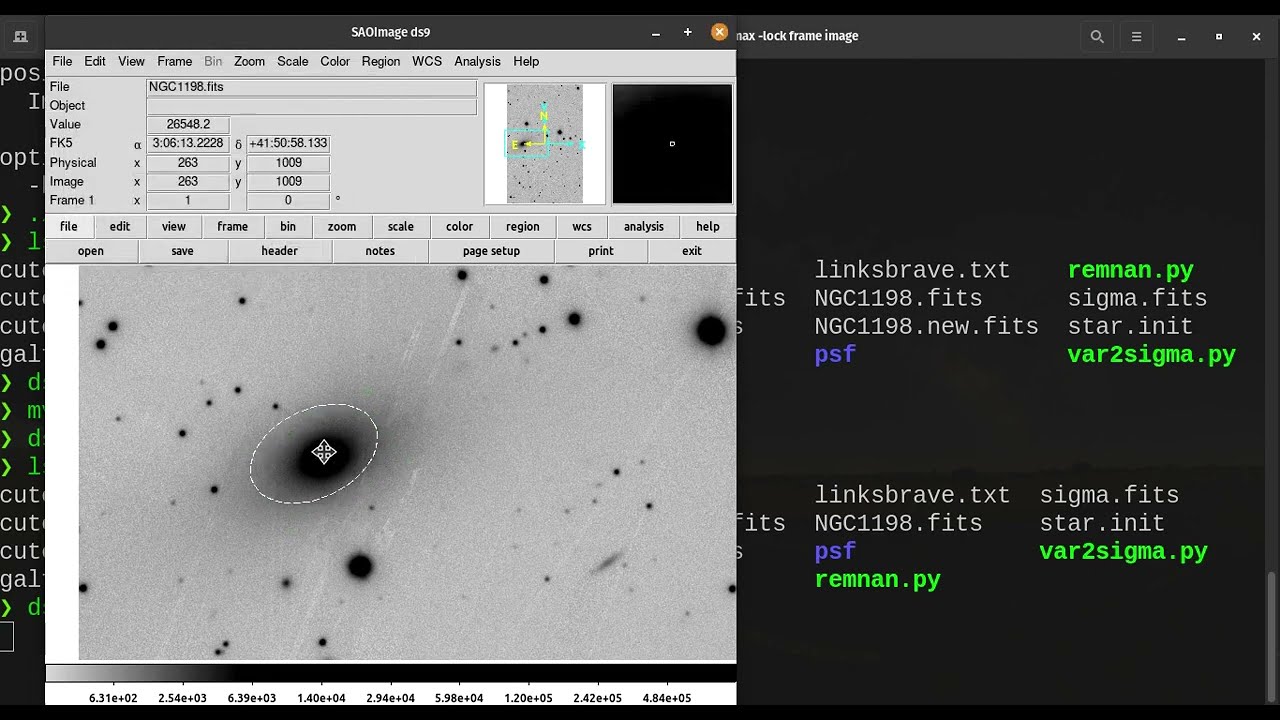
Here is another for galaxy NGC1198 using GALFITools:
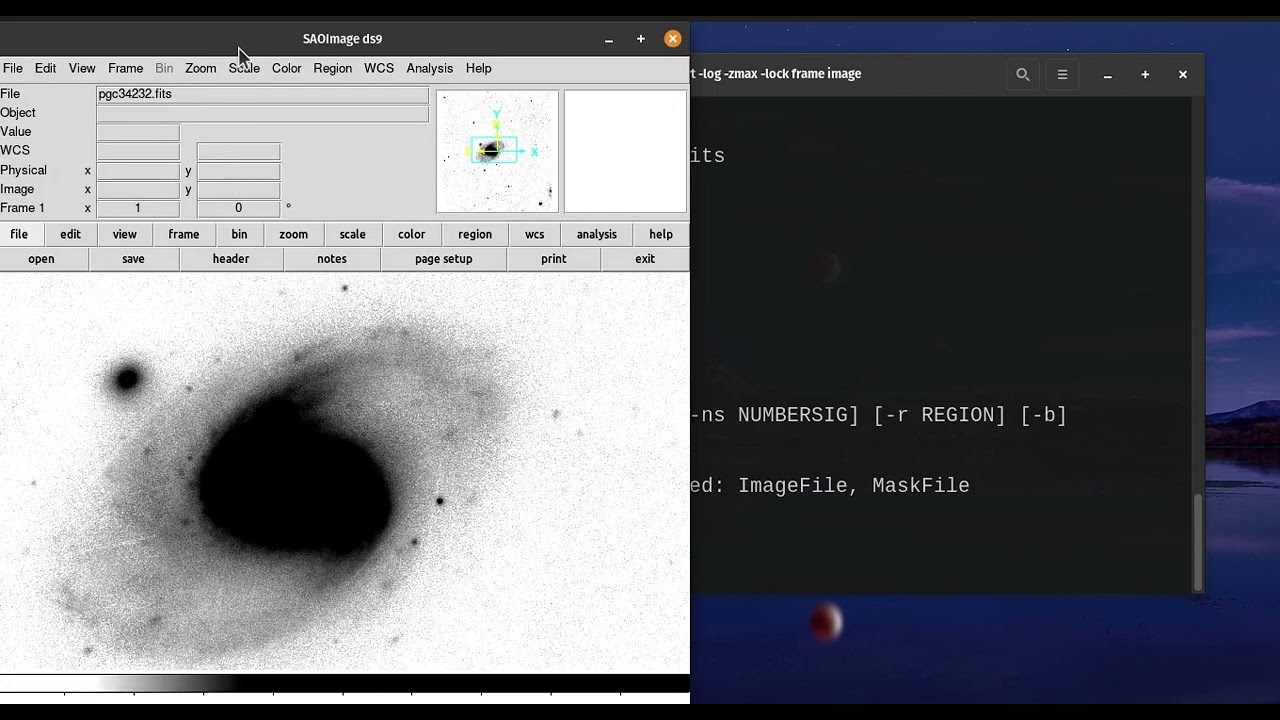
Here we model the barred spiral galaxy PGC 34232 with GALFITools v1.11.0:
GALFIT Input
Routines that aid the GALFIT’s user to prepare the necessary files for GALFIT input
getStar gets a image slice centered on the object peak
positional arguments:
  image                 the image file to obtain the slice
  Ds9regFile            the DS9 ellipse region file containing the star
  size                  the size of the new image in pixels

options:
  -h, --help            show this help message and exit
  -c, --center          uses the center given in DS9 region file,otherwise it will find the x,y
                        peak within DS9 ellipse
  -s SKY, --sky SKY     the sky background to be removed. Default = 0
  -o OUT, --out OUT     the image output.
  -sig SIGMA, --sigma SIGMA
                        introduce the sigma image
  -so SIGOUT, --sigout SIGOUT
                        the sigma image output
initGal Creates GALFIT’s input files with different initial parameters
positional arguments:
  inFile                the galfit file galfit.XX

options:
  -h, --help            show this help message and exit
  -n NUMBER, --number NUMBER
                        the number of files generated. Default = 1
  -p3 PARAM3 PARAM3, --param3 PARAM3 PARAM3
                        range of values to give to the 3) model's parameter in format [min max]
  -p4 PARAM4 PARAM4, --param4 PARAM4 PARAM4
                        range of values to give to the 4) model's parameter in format [min max]
  -p5 PARAM5 PARAM5, --param5 PARAM5 PARAM5
                        range of values to give to the 5) model's parameter in format [min max]
  -p6 PARAM6 PARAM6, --param6 PARAM6 PARAM6
                        range of values to give to the 6) model's parameter in format [min max]
  -p7 PARAM7 PARAM7, --param7 PARAM7 PARAM7
                        range of values to give to the 7) model's parameter in format [min max]
  -p8 PARAM8 PARAM8, --param8 PARAM8 PARAM8
                        range of values to give to the 8) model's parameter in format [min max]
  -p9 PARAM9 PARAM9, --param9 PARAM9 PARAM9
                        range of values to give to the 9) model's parameter in format [min max]
  -p10 PARAM10 PARAM10, --param10 PARAM10 PARAM10
                        range of values to give to the 10) model's parameter in format [min max]
  -nc NUMCOMP, --numcomp NUMCOMP
                        the component number which parameters will be changed
gtmakeMask creates mask file from a SExtractor’s catalog
positional arguments:
  Sexfile               Sextractor catalog file
  ImageFile             Image file

options:
  -h, --help            show this help message and exit
  -o MASKOUT, --maskout MASKOUT
                        the output mask file name
  -sf SATDS9, --satds9 SATDS9
                        ds9 saturation file
  -s SCALE, --scale SCALE
                        scale factor to increase the ellipses. Default=1


                        *Note* The Sextractor catalog must have the following columns:
#   1 NUMBER                 Running object number
#   2 ALPHA_J2000            Right ascension of barycenter (J2000)                      [deg]
#   3 DELTA_J2000            Declination of barycenter (J2000)                          [deg]
#   4 X_IMAGE                Object position along x                                    [pixel]
#   5 Y_IMAGE                Object position along y                                    [pixel]
#   6 MAG_APER               Fixed aperture magnitude vector                            [mag]
#   7 KRON_RADIUS            Kron apertures in units of A or B
#   8 FLUX_RADIUS            Fraction-of-light radii                                    [pixel]
#   9 ISOAREA_IMAGE          Isophotal area above Analysis threshold                    [pixel**2]
#  10 A_IMAGE                Profile RMS along major axis                               [pixel]
#  11 ELLIPTICITY            1 - B_IMAGE/A_IMAGE
#  12 THETA_IMAGE            Position angle (CCW/x)                                     [deg]
#  13 BACKGROUND             Background at centroid position                            [count]
#  14 CLASS_STAR             S/G classifier output
#  15 FLAGS                  Extraction flags
maskDs9 creates (or modify) a mask image for GALFIT using DS9 regions such as Boxes, Ellipses and Polygons
usage: maskDs9 [-h] [-f FILL] [-i IMAGE] [-b] [-bv BORVALUE] [-sm SKYMEAN] [-sd SKYSTD] [-inv] MaskFile RegFile


positional arguments:
  MaskFile              Mask image file to modify or create
  RegFile               DS9 region file

options:
  -h, --help            show this help message and exit
  -f FILL, --fill FILL  value to fill DS9 regions (0=remove)
  -i IMAGE, --image IMAGE
                        image to obtain the size
  -b, --border          mask borders when their value is zero
  -bv BORVALUE, --borValue BORVALUE
                        border value if different from zero
  -sm SKYMEAN, --skymean SKYMEAN
                        sky mean for sky patch
  -sd SKYSTD, --skystd SKYSTD
                        sky std for sky patch
  -inv, --invert        Invert the mask (i.e. it changes the values outside the DS9 region)
maskSky creates a mask using image and sky mean/sigma. It assumes the sky is plane along image
usage: maskSky [-h] [-o OUTPUT] [-sm SKYMEAN] [-ss SKYSIGMA] [-ns NUMBERSIG] [-r REGION]
[-i INCLUDE] [-b] [-bv BORVALUE] ImageFile


positional arguments:
  ImageFile             original data image

options:
  -h, --help            show this help message and exit
  -o OUTPUT, --output OUTPUT
                        output of the new Mask file
  -sm SKYMEAN, --skymean SKYMEAN
                        sky background mean
  -ss SKYSIGMA, --skysigma SKYSIGMA
                        sky background sigma
  -ns NUMBERSIG, --numbersig NUMBERSIG
                        multiplier for sigma to remove sky background
  -r REGION, --region REGION
                        DS9 regions file to remove from mask
  -i INCLUDE, --include INCLUDE
                        DS9 regions file to include into mask
  -b, --border          mask borders when their value is zero
  -bv BORVALUE, --borValue BORVALUE
                        border value if different from zero
xy2fits code to convert ASCII x,y positions to FITS mask
usage: xy2fits [-h] [-c VAL] ImageFile AsciiMask

positional arguments:
  ImageFile          The Image file
  AsciiMask          The ascii file with the x,y positions

options:
  -h, --help         show this help message and exit
  -c VAL, --val VAL  the value in counts for the masked pixels
checkFile check that the parameters and file names inside the GALFIT input file are correct
usage: checkFile [-h] [-d DIS] GalfitFile

positional arguments:
  GalfitFile         GALFIT input File

options:
  -h, --help         show this help message and exit
  -d DIS, --dis DIS  Maximum distance in pixels among components. Default = 10
boxSize computes the box size from a ds9 box region for galfit header option H)
usage: boxSize [-h] RegFile

Computes the Box size from a Ds9 region file for galfit header

positional arguments:
  RegFile     Ds9 region file containing the box region

options:
  -h, --help  show this help message and exit
imarith makes arithmetic operations on image
usage: imarith [-h] ImageFile

makes arithmetic operations on image

positional arguments:
  ImageFile   The input image

options:

 -h, --help  show this help message and exit


 -o --output    The output image

 -i  --image2   second input image to make arithmetic operations with ImageFile. Image2 must be of the same size of ImageFile. If this second image is provided it will make operations indicated by arithmetic flag ignoring its constant input

 -a   --add   add constant to image pixels
 -d   --div   divide all pixels by constant
 -m   --mul   multiply all pixels by constant
 -s   --sub   substract constant to all pixels
- getSersic Its estimates and prints initial parameters for Sersic components. It
addtion if proved options for single Sersic, bulge/disk and bulge/bar/disk
usage: getSersic [-h] [-zp ZEROPOINT] [-sk SKY] [-bt BULGETOT] [-c] [-n] [-m MASK] [-b BARDS9]
               Image RegFile

prints the Sersic function from DS9 ellipse region

positional arguments:
  Image                 image fits file
  RegFile               DS9 ellipse region file

options:
  -h, --help            show this help message and exit
  -zp ZEROPOINT, --zeropoint ZEROPOINT
                        The value of the zero point. Default = 25
  -sk SKY, --sky SKY    Sky background value to be removed from image before photometry. Default = 0
  -bt BULGETOT, --bulgetot BULGETOT
                        Bulge to total ratio. If set it will print two sersics: one for the bulge and
                        the other for the disk
  -c, --center          takes center of ds9 region file
  -n, --noprint         avoids to print Sersic functionts to stdout
  -m MASK, --mask MASK  the mask file
  -b BARDS9, --bards9 BARDS9
                        DS9 ellipse region file that containts the bar region. bulgetot flag must be
                        activated
MakePSF Makes a PSF model of a star using Multi Gaussian Expansion
usage: makePSF [-h] [-c] [-o OUT] [-sig SIGMA] [-t] [-ng NUMGAUSS] image GalfitFile Ds9regFile


positional arguments:
  image                 the image file where it contains the star to be modelled
  GalfitFile            GALFIT file to obtain the header options
  Ds9regFile            the DS9 ellipse region file containing the star to model

options:
  -h, --help            show this help message and exit
  -c, --center          uses the center given in DS9 region file, otherwise it will find the (x,y) peak
                        within DS9 ellipse
  -o OUT, --out OUT     the PSF model image
  -sig SIGMA, --sigma SIGMA
                        introduce the sigma image
  -t, --twist           uses twist option for mge
  -ng NUMGAUSS, --numgauss NUMGAUSS
                        number of gaussians that will be used for galfit.
sersic2ferrer converts a Bar Sérsic function (2 component) to a Ferrer function
usage: sersic2ferrer [-h] [-a] [-b] [-o OUT] galfile


positional arguments:
  galfile            GALFIT input file

options:
  -h, --help         show this help message and exit
  -a, --alpha        keep Ferrer alpha parameter as free
  -b, --beta         keep Ferrer beta parameter as free
  -o OUT, --out OUT  output GALFIT file
exp2edge converts an exponential disk model to a edgedisk function
usage: exp2edge [-h] [-o OUT] [-ne NUMEXP] galfile


positional arguments:
  galfile               GALFIT input file

options:
  -h, --help            show this help message and exit
  -o OUT, --out OUT     output GALFIT file
  -ne NUMEXP, --numexp NUMEXP
                        component number of the exponential function in input file. Default=2
toSersic converts (gauss, de Vaucoulers, exponential) components to a Sersic component
usage: toSersic [-h] [-f] [-o OUT] galfile


positional arguments:
  galfile            GALFIT input file

options:
  -h, --help         show this help message and exit
  -f, --nfree        keep Sersic index parameter as free
  -o OUT, --out OUT  output GALFIT file
superMask Read SExtractor segmentation image, mask created by maskSky and DS9 ellipse region file to create a super mask. It removes the central galaxy
usage: superMask [-h] [-o OUTPUT] [--rem_masksky]
                 segmentation_file masksky_file ds9ellipse_file

positional arguments:
  segmentation_file     Input SExtractor segmentation FITS image.
  masksky_file          Input mask created with maskSky (or any other mask) file FITS
                        image.
  ds9ellipse_file       Input DS9 ellipse region file.

options:
  -h, --help            show this help message and exit
  -o OUTPUT, --output OUTPUT
                        output FITS file. Default: supermask
  --rem_masksky         remove central galaxy from masksky.
GALFIT Output
Routines that computes photometric variables from the surface brightness models fitted by GALFIT
getBreak gets the break radius from a set of Sersics
positional arguments:
  GalfitFile            Galfit File containing the Sersics or gaussians components

options:
  -h, --help            show this help message and exit
  -d DIS, --dis DIS     Maximum distance among components
  -n NUMCOMP, --numcomp NUMCOMP
                        Number of component where it'll obtain center of all components, default = 1
  -a ANGLE, --angle ANGLE
                        Angle of the major axis of the galaxy. Default= it will take the angle of the
                        last components
  -ni NUMINITIAL, --numinitial NUMINITIAL
                        Number of component where it'll obtain the initial parameter to search break
                        radius or to generated random initial radius.
  -q, --quick           evaluate in position only (given by -ni parameter
  -r RANDOM, --random RANDOM
                        Number of random radius as initial parameters to search for the minimum. It
                        will generated random radius from 0 to effective radius of the component
                        indicated by parameter -ni
  -p, --plot            makes plot of double derivative vs. radius
  -rx RANX RANX, --ranx RANX RANX
                        provide a range for the plot x-axis: xmin - xmax
getBreak2 gets the break radius from a set of Sersics using an alternative method to getBreak
positional arguments:
  GalfitFile            Galfit File containing the Sersics or gaussians components

options:
  -h, --help            show this help message and exit
  -d DIS, --dis DIS     Maximum distance among components
  -n NUMCOMP, --numcomp NUMCOMP
                        Number of component where it'll obtain center of all components, default = 1
  -a ANGLE, --angle ANGLE
                        Angle of the major axis of the galaxy. Default= it will take the angle of the
                        last components
  -p, --plot            makes plot of double derivative vs. radius
  -rx RANX RANX, --ranx RANX RANX
                        x-axis range to search for the Break radius: xmin - xmax
getFWHM gets the FWHM from a set of Sersics
positional arguments:
  GalfitFile            Galfit File containing the Sersics or gaussians components

options:
  -h, --help            show this help message and exit
  -d DIS, --dis DIS     Maximum distance among components
  -n NUMCOMP, --numcomp NUMCOMP
                        Number of component where it'll obtain center of all components, default = 1
  -a ANGLE, --angle ANGLE
                        Angle of the major axis of the galaxy. Default= it will take the angle of the
                        last components
getKappa gets the Kappa radius from a set of Sersics
positional arguments:
  GalfitFile            Galfit File containing the Sersics or gaussians components

options:
  -h, --help            show this help message and exit
  -d DIS, --dis DIS     Maximum distance among components
  -n NUMCOMP, --numcomp NUMCOMP
                        Number of component where it'll obtain center of all components, default = 1
  -a ANGLE, --angle ANGLE
                        Angle of the major axis of the galaxy. Default= it will take the angle of the
                        last components
  -ni NUMINITIAL, --numinitial NUMINITIAL
                        Number of component where it'll obtain the initial parameter to search break
                        radius or to generated random initial radius.
  -q, --quick           evaluate in position only (given by -ni parameter
  -r RANDOM, --random RANDOM
                        Number of random radius as initial parameters to search for the minimum. It
                        will generated random radius from 0 to effective radius of the component
                        indicated by parameter -ni
  -p, --plot            makes plot of double derivative vs. radius
  -rx RANX RANX, --ranx RANX RANX
                        provide a range for x-axis: xmin - xmax
getKappa2 gets the kappa radius from a set of Sersics using an alternative method to getKappa
positional arguments:
  GalfitFile            Galfit File containing the Sersics or gaussians components

options:
  -h, --help            show this help message and exit
  -d DIS, --dis DIS     Maximum distance among components
  -n NUMCOMP, --numcomp NUMCOMP
                        Number of component where it'll obtain center of all components, default = 1
  -a ANGLE, --angle ANGLE
                        Angle of the major axis of the galaxy. Default= it will take the angle of the
                        last components
  -p, --plot            makes plot of double derivative vs. radius
  -rx RANX RANX, --ranx RANX RANX
                        x-axis range to search for the Break radius: xmin - xmax
getReComp gets the effective radius from a set of Sersics
positional arguments:
  GalfitFile            Galfit File containing the Sersics or gaussians components

options:
  -h, --help            show this help message and exit
  -d DIS, --dis DIS     Maximum distance among components
  -er EFFRAD, --effrad EFFRAD
                        percentage of light to compute for radius. default=.5 for effective radius
  -n NUMCOMP, --numcomp NUMCOMP
                        Number of component where it'll obtain center of all components, default = 1
  -pa ANGLE, --angle ANGLE
                        Angle of the major axis of the galaxy. Default= it will take the angle of the
                        last components. Angle measured from Y-Axis as same as GALFIT.
getSlope gets the slope radius from a set of Sersics
positional arguments:
  GalfitFile            Galfit File containing the Sersics or gaussians components

options:
  -h, --help            show this help message and exit
  -d DIS, --dis DIS     Maximum distance among components
  -n NUMCOMP, --numcomp NUMCOMP
                        Number of component where it'll obtain center of all components, default = 1
  -a ANGLE, --angle ANGLE
                        Angle of the major axis of the galaxy. Default= it will take the angle of the
                        last components
  -s SLOPE, --slope SLOPE
                        value of slope to find. default=.5
  -p, --plot            makes plot of double derivative vs. radius
  -rx RANX RANX, --ranx RANX RANX
                        provide a range for x-axis: xmin - xmax
getN computes the Sersic index from surface brightness at effective radius
positional arguments:
  GalfitFile            Galfit File containing the Sersics or gaussians components

options:
  -h, --help            show this help message and exit
  -d DIS, --dis DIS     Maximum distance among components
  -n NUMCOMP, --numcomp NUMCOMP
                        Number of component where it'll obtain center of all components, default = 1
  -pa ANGLE, --angle ANGLE
                        Angle of the major axis of the galaxy. Default= it will take the angle of the
                        last components. Angle measured from Y-Axis as same as GALFIT.
  -rf RADFRAC, --radfrac RADFRAC
                        fraction of light radius. Default = .2
  -p, --plot            makes plot of double derivative vs. radius
getMissLight computes the missing light from two surface brightness models
positional arguments:
  GalfitFile1           Galfit File containing the coreless surface brightness model
  GalfitFile2           Galfit File containing the core surface brightness model
  rad                   upper limit of radius to integrate the missing light in pixels

options:
  -h, --help            show this help message and exit
  -d DIS, --dis DIS     Maximum distance among components
  -n NUMCOMP, --numcomp NUMCOMP
                        Number of component where it'll obtain center of all components, default = 1
getBulgeRad gets the bulge radius or the radius where two models of surface brightness models are equal
positional arguments:
  GalfitFile1           Galfit File containing the coreless surface brightness model
  GalfitFile2           Galfit File containing the core surface brightness model

options:
  -h, --help            show this help message and exit
  -d DIS, --dis DIS     Maximum distance among components
  -n NUMCOMP, --numcomp NUMCOMP
                        Number of component where it'll obtain center of all components, default = 1
  -pa ANGLE, --angle ANGLE
                        Angle of the major axis of the galaxy. Default= it will take the angle of the
                        last components. Angle measured from Y-Axis as same as GALFIT.
  -p, --plot            makes plot of double derivative vs. radius
  -rx RANX RANX, --ranx RANX RANX
                        provide a range for x-axis: xmin - xmax
showCube takes the GALFIT output and creates an image that shows galaxy, model and residual
positional arguments:
  cubeimage             the cube GALFIT image

options:
  -h, --help            show this help message and exit
  -o OUTIMAGE, --outimage OUTIMAGE
                        the output png file
  -br BRIGHTNESS, --brightness BRIGHTNESS
                        brightness of the image. Only for galaxy and model. Default = 0. Preferible
                        range goes from -1 to 1
  -co CONTRAST, --contrast CONTRAST
                        contrast of the image. Only for galaxy and model. Default = 1. Preferible
                        range goes from 0 to 1
  -cm CMAP, --cmap CMAP
                        cmap to be used for the cube image
  -dpi DOTSINCH, --dotsinch DOTSINCH
                        dots per inch used for images files
  -s SCALE, --scale SCALE
                        plate scale of the image. Default = 1
  -np, --noplot         it doesn't show plotting window
photDs9 computes photometry from a Ds9 region file: Box, Ellipses and Polygons
usage: photDs9 [-h] [-zp ZEROPOINT] [-m MASK] [-sk SKY] ImageFile RegFile

positional arguments:
  ImageFile             the image file where the photometry will be computed
  RegFile               the DS9 region file

options:
  -h, --help            show this help message and exit
  -zp ZEROPOINT, --zeropoint ZEROPOINT
                        The value of the zero point. Default = 25
  -sk SKY, --sky SKY    the value of the sky background to be removed
fitlog2csv converts fit.log file into a comma separated values file
usage: fitlog2csv [-h] [-o FILEOUT] [-n NUM]

  -h, --help            show this help message and exit
  -n NUM, --NUM NUM     the number of the fit to be extracted
  -o OUTFILE, --fileout OUTFILE
                        the name of the output file
- fitlogTableCorrector Apply mag corrections and Re unit conversion
to GALFIT fitlog file produced by fitlog2csv.
usage: fitlogTableCorrector [-h] [--A A] [--K K] [--pixscale PIXSCALE] [--kpc-per-arcsec KPC_PER_ARCSEC]
                            [--re-units {pix,arcsec,kpc}] [--mag-fmt MAG_FMT] [--re-fmt RE_FMT] [--echo-original]
                            input output

positional arguments:
  input                 Input text file with GALFIT-style table.
  output                Output text file.

options:
  -h, --help            show this help message and exit
  --A A                 Extinction correction A_lambda (mag) to subtract.
  --K K                 K-correction (mag) to subtract.
  --pixscale PIXSCALE   Pixel scale in arcsec/pixel (required if --re-units is arcsec or kpc).
  --kpc-per-arcsec KPC_PER_ARCSEC
                        Angular scale in kpc/arcsec (required if --re-units is kpc).
  --re-units {pix,arcsec,kpc}
                        Unit for the effective radius (column 5) in the output.
  --mag-fmt MAG_FMT     Format for magnitude column (e.g., .2f).
  --re-fmt RE_FMT       Format for Re column (e.g., .2f).
  --echo-original       Also emit the original component line as a comment just above the corrected one.
getPeak Obtains the center, axis ratio and angular position from DS9 region
positional arguments:
  Image                 image fits file
  RegFile               DS9 ellipse region file

options:
  -h, --help            show this help message and exit
  -c, --center          takes center of ds9 region file
  -m MASK, --mask MASK  the mask file
getBT computes the Bulge to Total luminosity ratio
usage: getBT [-h] [-d DIS] [-n NUMCOMP] GalfitFile


positional arguments:
  GalfitFile            Galfit File containing the bulge-disk or bulge-bar-disk surface
                        brightness model

options:
  -h, --help            show this help message and exit
  -d DIS, --dis DIS     Maximum distance among components
  -n NUMCOMP, --numcomp NUMCOMP
                        Number of component where it'll obtain center of all components,
                        default = 1
getBarlength computes the barsize from a composed Sersic model: Bulge, bar and disk. . It assumes the bar is positioned as a second component in galfit file galfit.XX. Bar can be a Ferrer model.
usage: getBarlength [-h] [-d DIS] [-n NUMCOMP] [-o OUT] [-p] [-r] [-rx RANX RANX] GalfitFile


positional arguments:
  GalfitFile            GALFIT file

options:
  -h, --help            show this help message and exit
  -d DIS, --dis DIS     maximum distance among components
  -n NUMCOMP, --numcomp NUMCOMP
                        number of component to be selected
  -o OUT, --out OUT     output DS9 ellipse region
  -p, --plot            plots a file of kappa and break radius
  -r, --red             If activated, DS9 region ellipse is red
  -rx RANX RANX, --ranx RANX RANX
                        range of radius to search for barlength
getCOW plots the curve-of-growth from the galfit.XX file. Only for Sersic functions
usage: getCOW [-h] [-d DIS] [-pf PLOTFILE] [-g GALFITF2] [-md] [-fr FRACRAD] [-n NUMCOMP] [-pa ANGLE] [-dpi DOTSINCH] GalfitFile

positional arguments:
  GalfitFile            GALFIT File containing the Sersics

options:
  -h, --help            show this help message and exit
  -d DIS, --dis DIS     Maximum distance among components
  -pf PLOTFILE, --plotfile PLOTFILE
                        name of the plot file
  -g GALFITF2, --galfitF2 GALFITF2
                        Second GALFIT file to add to the plot (optional)
  -md, --maxdiff        plot the maximum difference between model 1 and 2 (a vertical line)
  -fr FRACRAD, --fracrad FRACRAD
                        fraction of light radius. This is the upper limit of X-Axis. default=.95
  -n NUMCOMP, --numcomp NUMCOMP
                        Number of component where it'll obtain center of all components, default = 1
  -pa ANGLE, --angle ANGLE
                        Angle of the major axis of the galaxy. Default = it will take the angle of the last components. Angle
                        measured from Y-Axis as same as GALFIT.
  -dpi DOTSINCH, --dotsinch DOTSINCH
                        dots per inch used for images files
getMeRad gets the surface brightness at a given radius from a set of Sersics
usage: getMeRad [-h] [-d DIS] [-r RAD] [-n NUMCOMP] [-pa ANGLE] GalfitFile


positional arguments:
  GalfitFile            Galfit File containing the Sersics or gaussians components

options:
  -h, --help            show this help message and exit
  -d DIS, --dis DIS     Maximum distance among components (pixels)
  -r RAD, --rad RAD     Radius in pixels where the surface brightness will be computed. Default = 10 pixels
  -n NUMCOMP, --numcomp NUMCOMP
                        Number of component where it'll obtain center of all components, default = 1
  -pa ANGLE, --angle ANGLE
                        Angle of the major axis of the galaxy. Default = it will take the angle of the last components. Angle
                        measured from Y-Axis assame as GALFIT.
magCorr corrects GALFIT file for magnitude correction and K corrections
usage: magCorr [-h] [-o OUT] [-a AEXT] [-k KCOR] galfile


positional arguments:
  galfile               GALFIT input file

options:
  -h, --help            show this help message and exit
  -o OUT, --out OUT     output GALFIT file
  -a AEXT, --Aext AEXT  Magnitude correction for Extinction
  -k KCOR, --Kcor KCOR  K correction
getChiNu Computes the Chinu within a radius
usage: getChiNu [-h] [-fr FRACRAD] [-r REGFILE] [-nc NUMCOMP] galfile


positional arguments:
  galfile               GALFIT input file

options:
  -h, --help            show this help message and exit
  -fr FRACRAD, --fracrad FRACRAD
                        Fraction of light radius where the chinu will be computed. Computed from Sersic functions only. Default =
                        0.99
  -r REGFILE, --RegFile REGFILE
                        DS9 ellipse region file to use instead of fracrad. Must be based on the GALFIT output image cube.
  -nc NUMCOMP, --numcomp NUMCOMP
                        Number of component inside galfit file. Default=1
galStats Compute GALFIT parameter statistics from multiple parameter files.
usage: galStats [-h] list_file output_csv

positional arguments:
  list_file   Text file with the list of GALFIT parameter files, one per line.
  output_csv  Output CSV filename.

options:
  -h, --help  show this help message and exit
splitComp Split a GALFIT file into several files, one per non-sky component.
Parameters
----------
galfit_file : pathlib.Path
    Input GALFIT file.
output_dir : pathlib.Path or None, optional
    Directory where the output files are written. If `None`, the files are
    written in the same directory as `galfit_file`.

Returns
-------
list of pathlib.Path
    Paths of the generated files.

Notes
-----
The script keeps the original GALFIT header, defined as all lines before
the first ``# Component number:`` block. The sky component is ignored.
MGE
Routines that use the Multi-Gaussian Expansion.
mge2galfit fits multi-gaussian expansion of Cappellari (2002) and formats to GALFIT
positional arguments:
  GalfitFile            GALFIT file to obtain the header options
  Ds9regFile            the DS9 ellipse region file containing the galaxy

options:
  -h, --help            show this help message and exit
  -t, --twist           uses twist option for mge
  -c, --center          uses the center given in DS9 region file,otherwise it will found the x,y peak within DS9
                        ellipse
  -p PSF, --psf PSF     the value of PSF sigma
  -gas, --gauss         uses gauss function for galfit file
  -fser, --freeser      leaves the sersic index as a free parameter to fit
  -fsk, --freesky       leaves the sky as a free parameter to fit
  -ng NUMGAUSS, --numgauss NUMGAUSS
SbProf creates a surface brightness profile from a ellipse ds9 region
positional arguments:
  Image                 image fits file
  Ds9Region             Ds9 ellipse region file

options:
  -h, --help            show this help message and exit
  -q AXRAT, --axrat AXRAT
                        axis ratio
  -pa ANGLE, --angle ANGLE
                        angular position (same as GALFIT)
  -mz MGZPT, --mgzpt MGZPT
                        Magnitud zero point
  -m MASK, --mask MASK  mask fits file
  -s SKY, --sky SKY     sky value. Default = 0
  -p PLATE, --plate PLATE
                        plate scale
  -o OUTPUT, --output OUTPUT
                        output file
  -c, --center          uses the center given in DS9 region file,otherwise it will found the x,y
                        peak within DS9 ellipse
  -rx RANX RANX, --ranx RANX RANX
                        provide a range for x-axis: xmin - xmax
  -ry RANY RANY, --rany RANY RANY
                        provide a range for y-axis: ymin - ymax
  -lx, --logx           turn the X-axis to logarithm
  -px, --pix            turn the top x-axis in pixels
  -g, --grid            display a grid in the plot
  -r RAD, --rad RAD     value for a vertical line to add into the plot
  -r2 RAD2, --rad2 RAD2
                        value for a second vertical line to add into the plot
sersic2mge Approximates a Sersic function to mge and formats to GALFIT
usage: sersic2mge [-h] [-ng NUMGAUSS] [-rm RMAX] [-ns NSAMPLES] [-mis MINSIGMA] [-mas MAXSIGMA] [-o OUTPUT] GalfitFile


positional arguments:
  GalfitFile            GALFIT file to obtain the header and components data

options:
  -h, --help            show this help message and exit
  -ng NUMGAUSS, --numgauss NUMGAUSS
                        number of gaussians used for approximation. Default = 6
  -rm RMAX, --rmax RMAX
                        radius max factor. Default = 10
  -ns NSAMPLES, --nsamples NSAMPLES
                        number of samples. Default = 800
  -mis MINSIGMA, --minsigma MINSIGMA
                        minimum sigma factor. Default = 0.02
  -mas MAXSIGMA, --maxsigma MAXSIGMA
                        maximum sigma factor Default = 10
  -o OUTPUT, --output OUTPUT
                        output GALFIT file
SIM
Routines that make a simulated galaxy image using GALFIT.
makeSim simulates a observed galaxy from a GALFIT model. It adds Poisson and sky noise to the image.
positional arguments:
  image                 the GALFIT galaxy model
  newimage              the name of the new galaxy image

options:
  -h, --help            show this help message and exit
  -s SKY, --sky SKY     the sky background value. default = 0
  -std STD, --std STD   the sky standard deviation. default = 1
  -g GAIN, --gain GAIN  the gain value of the image. default = 1
Sky
Routines that compute the sky background.
galSky computes the sky using GALFIT
positional arguments:
  image                 the image file
  mask                  the GALFIT mask file

options:
  -h, --help            show this help message and exit
  -s SCALE, --scale SCALE
                        the plate scale. default = 1
  -zp MGZPT, --mgzpt MGZPT
                        the magnitud zero point. default=25
  -x XPOS, --xpos XPOS  the x position. default=1
  -y YPOS, --ypos YPOS  the y position. default=1
  -is INITSKY, --initsky INITSKY
                        the initial sky value default=0
skyDs9 computes sky using ds9 region file
positional arguments:
  image       the image file
  Ds9regFile  the DS9 box region file containing the galaxy

options:
  -h, --help  show this help message and exit
skyRing computes sky computing the gradient over concentric rings around the galaxy.
positional arguments:
  image       the image file
  maskfile    the Mask image file
  Ds9regFile  the DS9 box region file containing the galaxy


options:
  -h, --help  show this help message and exit
  -c, --center  use the center of the ellipse. Otherwise it will use the (x,y) position with the highest value of the ellipse
Batch
Routines that process multiple GALFIT files.
These routines collect several of the tools described above and apply them to GALFIT files located in different paths. They require a list containing the path to each GALFIT file. The output is a CSV file.
GALFIT output files are named galfit.XX, where XX is an integer that increases each time the program finds a solution. If each directory contains GALFIT files with different numbers, the ls command used to generate a file containing the list of paths may not return the desired result. In that case, use the following CLI commands in bash or zsh to generate a list of the GALFIT files with the highest number in each directory:
find . -type f -name 'galfit.*' | \
awk -F/ '
{
    dir = "."
    for (i = 2; i < NF; i++) {
        dir = dir "/" $i
    }

    file = $NF
    split(file, a, ".")
    ext = a[length(a)] + 0

    if (!(dir in max) || ext > max[dir]) {
        max[dir] = ext
        path[dir] = $0
    }
}
END {
    for (d in path) print path[d]
}' | sort > highest_galfit_files.txt
This is another version:
for d in $(find . -type f -name 'galfit.*' -printf '%h\n' | sort -u); do
    ls "$d"/galfit.* 2>/dev/null | sort -t. -k2,2n | tail -n 1
done > highest_galfit_files.txt
Of course, this is assuming that XX with the highest number is the best model.
batchGALFIT Batch-run GALFIT over input files listed in a text file.
usage: batchGALFIT [-h] [-j JOBS] [--galfit-bin GALFIT_BIN] [--verbose] [--summary-csv SUMMARY_CSV] list_file


positional arguments:
  list_file             Text file containing one GALFIT input-file path per line.

options:
  -h, --help            show this help message and exit
  -j JOBS, --jobs JOBS  Number of parallel workers to use (default: 1).
  --galfit-bin GALFIT_BIN
                        Path to GALFIT executable (default: "galfit").
  --verbose             Print stdout/stderr for every GALFIT run.
  --summary-csv SUMMARY_CSV
                        Write a CSV summary report to this path.
batchGetBarlength gets the bar size from Sersic and Ferrer models
usage: batchGetBarlength [-h] [-d DIS] [-n NUMCOMP] [-o OUT] [-co OUTPUT] [-p] [-r] [-rx RANX RANX] InputFile


positional arguments:
  InputFile             file containing a list of file path GALFIT files

options:
  -h, --help            show this help message and exit
  -d DIS, --dis DIS     maximum distance among components
  -n NUMCOMP, --numcomp NUMCOMP
                        number of component to be selected
  -o OUT, --out OUT     output DS9 ellipse region
  -co OUTPUT, --output OUTPUT
                        output csv file
  -p, --plot            plots a file of kappa and break radius
  -r, --red             If activated, DS9 region ellipse is red
  -rx RANX RANX, --ranx RANX RANX
                        range of radius to search for barlength
batchGetBT Read a list of GALFIT files, compute B/T quantities for each file, and write the results to a CSV file.
usage: batchGetBT [-h] [-n NUM_COMP] [-d DIS] [-o OUTPUT] list_file

positional arguments:
  list_file             Text file containing one GALFIT file path per line.

options:
  -h, --help            show this help message and exit
  -n NUM_COMP, --num_comp NUM_COMP
                        Component number used to define the center.
  -d DIS, --dis DIS     Maximum distance among components.
  -o OUTPUT, --output OUTPUT
                        Output CSV file. Default: bt_results.csv
batchGetN Read a list of GALFIT files, estimate Sersic-index quantities for each file, and write the results to a CSV file.
usage: batchGetN [-h] [-d DIS] [-f FRAC] [-pa ANGLE] [-n NUM_COMP] [-p] [--const CONST] [-o OUTPUT] list_file


positional arguments:
  list_file             Text file containing one GALFIT file path per line.

options:
  -h, --help            show this help message and exit
  -d DIS, --dis DIS     Maximum distance among components. Default: 3
  -f FRAC, --frac FRAC  Fraction of light. Default: .5
  -pa ANGLE, --angle ANGLE
                        Angle of the major axis of the galaxy. If omitted, the angle of the last component is used.
  -n NUM_COMP, --num_comp NUM_COMP
                        Component number used to define the center. Default: 1
  -p, --plot            Create the Sersic-index plot.
  --const CONST         Constant subtracted from the plot. Default: 0
  -o OUTPUT, --output OUTPUT
                        Output CSV file. Default: getn.csv
batchGetBreak Read a list of GALFIT files, compute the break radius using the second-derivative method, and write the results to a CSV file.
usage: batchGetBreak [-h] [-d DIS] [-pa ANGLE] [-n NUM_COMP] [-p] [-r XMIN XMAX] [-o OUTPUT] list_file

positional arguments:
  list_file             Text file containing one GALFIT file path per line.

options:
  -h, --help            show this help message and exit
  -d DIS, --dis DIS     Maximum distance among components. Default: 3
  -pa ANGLE, --angle ANGLE
                        Position angle of the major axis of the galaxy. If omitted, the angle of the last component is used.
  -n NUM_COMP, --num_comp NUM_COMP
                        Component number used to define the center. Default: 1
  -p, --plot            Create diagnostic plots.
  -r XMIN XMAX, --ranx XMIN XMAX
                        Range for plotting and searching, given as two values: XMIN XMAX. If omitted, the scientific routine uses its
                        default range.
  -o OUTPUT, --output OUTPUT
                        Output CSV file. Default: out.csv
batchGetKappa Read a list of GALFIT files, compute the kappa radius using the curvature-based method, and write the results to a CSV file.
usage: batchGetKappa [-h] [-d DIS] [-pa ANGLE] [-n NUM_COMP] [-p] [-r XMIN XMAX] [-o OUTPUT] list_file


positional arguments:
  list_file             Text file containing one GALFIT file path per line.

options:
  -h, --help            show this help message and exit
  -d DIS, --dis DIS     Maximum distance among components. Default: 3
  -pa ANGLE, --angle ANGLE
                        Position angle of the major axis of the galaxy. If omitted, the angle of the last component is used.
  -n NUM_COMP, --num_comp NUM_COMP
                        Component number used to define the center. Default: 1
  -p, --plot            Create diagnostic plots.
  -r XMIN XMAX, --ranx XMIN XMAX
                        Range for plotting and searching, given as two values: XMIN XMAX. If omitted, the scientific routine uses its
                        default range.
  -o OUTPUT, --output OUTPUT
                        Output CSV file. Default: out.csv
batchGetMeRad Read a list of GALFIT files, compute total magnitude and surface-brightness quantities at a given radius, and write the results to a CSV file.
usage: batchGetMeRad [-h] [-d DIS] [-r RAD] [-pa ANGLE] [-n NUM_COMP] [--mecorr MECORR] [-o OUTPUT] list_file


positional arguments:
  list_file             Text file containing one GALFIT file path per line.

options:
  -h, --help            show this help message and exit
  -d DIS, --dis DIS     Maximum distance among components.
  -r RAD, --rad RAD     Radius at which the surface brightness is computed.
  -pa ANGLE, --angle ANGLE
                        Position angle of the major axis of the galaxy.
  -n NUM_COMP, --num_comp NUM_COMP
                        Component number used to define the center.
  --mecorr MECORR       Surface-brightness correction for universe expansion. Default: 0.0
  -o OUTPUT, --output OUTPUT
                        Output CSV file. Default: me_rad_results.csv
batchGetReComp Read a list of GALFIT files, compute the effective radius or another light-fraction radius, and write the results to a CSV file.
usage: batchGetReComp [-h] [-d DIS] [--eff EFF] [-pa ANGLE] [-n NUM_COMP] [--mecorr MECORR] [-o OUTPUT] list_file


positional arguments:
  list_file             Text file containing one GALFIT file path per line.

options:
  -h, --help            show this help message and exit
  -d DIS, --dis DIS     Maximum distance among components. Default: 3
  --eff EFF             Fraction of total light. Must be between 0 and 1. Default: 0.5
  -pa ANGLE, --angle ANGLE
                        Position angle of the major axis of the galaxy. If omitted, the angle of the last component is used.
  -n NUM_COMP, --num_comp NUM_COMP
                        Component number used to define the center. Default: 1
  --mecorr MECORR       Surface-brightness correction for universe expansion. Default: 0.0
  -o OUTPUT, --output OUTPUT
                        Output CSV file. Default: out.csv
batchGetSlope Read a list of GALFIT files, compute the slope radius, and write the results to a CSV file.
usage: batchGetSlope [-h] [-d DIS] [--slope SLOPE] [-pa ANGLE] [-n NUM_COMP] [-p] [-r XMIN XMAX] [-o OUTPUT] list_file


positional arguments:
  list_file             Text file containing one GALFIT file path per line.

options:
  -h, --help            show this help message and exit
  -d DIS, --dis DIS     Maximum distance among components. Default: 3
  --slope SLOPE         Slope value at which the radius is determined. Default: 0.5
  -pa ANGLE, --angle ANGLE
                        Position angle of the major axis of the galaxy. If omitted, the angle of the last component is used.
  -n NUM_COMP, --num_comp NUM_COMP
                        Component number used to define the center. Default: 1
  -p, --plot            Create diagnostic plots.
  -r XMIN XMAX, --ranx XMIN XMAX
                        Range for plotting and searching, given as two values: XMIN XMAX. If omitted, the scientific routine uses its
                        default range.
  -o OUTPUT, --output OUTPUT
                        Output CSV file. Default: out.csv
DESI
Commands for Dark Energy Spectroscoic Instrument (DESI). All the CLI commands described here (with few exceptions) are to be used for DESI images.
downloadDesi Download DESI Legacy Survey image, invvar, and PSF cutouts. The invvar image is also converted to a GALFIT sigma image.
usage: downloadDesi [-h] [--outdir OUTDIR] [--layer LAYER] [--size SIZE] [--pixscale PIXSCALE] [--bands BANDS] [--subimage]
                    [--timeout TIMEOUT] [--retries RETRIES] [--retry-wait RETRY_WAIT] [--stop-on-error]
                    csv


positional arguments:
  csv                   Input CSV with columns ra and dec. Optional: objid.

options:
  -h, --help            show this help message and exit
  --outdir OUTDIR       Output directory
  --layer LAYER         Viewer layer, e.g. ls-dr10 or ls-dr9
  --size SIZE           Cutout size in pixels
  --pixscale PIXSCALE   Arcsec/pixel for cutouts
  --bands BANDS         Bands to download, e.g. grz
  --subimage            Add the subimage flag. This uses the fixed brick grid and includes the inverse-variance image.
  --timeout TIMEOUT     Timeout in seconds for each request.
  --retries RETRIES     Maximum number of attempts for each FITS download.
  --retry-wait RETRY_WAIT
                        Initial waiting time in seconds between retries.
  --stop-on-error       Stop the program when a download fails after all retries.
centralEllipse Create a DS9 ellipse region for the central galaxy mask in a DESI maskbits FITS image.
usage: centralEllipse [-h] [--value VALUE] [--use-bit] [--bit BIT] [--scale SCALE] [--angle-step ANGLE_STEP] [--refine]
                      [--refine-window REFINE_WINDOW] [--refine-step REFINE_STEP] [--radial-step RADIAL_STEP]
                      [--component-out COMPONENT_OUT] [--color COLOR]
                      maskbits region


positional arguments:
  maskbits              Input DESI maskbits FITS file.
  region                Output DS9 ellipse region file.

options:
  -h, --help            show this help message and exit
  --value VALUE         Exact pixel value to use when --use-bit is not set. Default: 4096.
  --use-bit             Use bit testing instead of exact pixel equality.
  --bit BIT             Bit number used when --use-bit is set. Default: 12.
  --scale SCALE         Scale factor applied to the final ellipse axes. Default: 1.0.
  --angle-step ANGLE_STEP
                        Coarse angular step in degrees. Default: 1.0.
  --refine              Enable local angular refinement.
  --refine-window REFINE_WINDOW
                        Half-width of the refinement interval in degrees. If omitted, it is set equal to --angle-step.
  --refine-step REFINE_STEP
                        Fine angular step in degrees. Default: 0.1.
  --radial-step RADIAL_STEP
                        Radial step in pixels for ray tracing. Default: 0.2.
  --component-out COMPONENT_OUT
                        Optional FITS file with the selected central component mask.
  --color COLOR         DS9 region color. Default: green.
getSegValue Read a SExtractor segmentation image and return the value of a selected pixel. By default, the central pixel is used.
usage: getSegValue.py [-h] [--x X] [--y Y] [--ext EXT] segmentation_file

positional arguments:
  segmentation_file  Input SExtractor segmentation FITS image.

options:
  -h, --help         show this help message and exit
  --x X              Pixel x-coordinate using Python zero-based indexing. Default: image center.
  --y Y              Pixel y-coordinate using Python zero-based indexing. Default: image center.
  --ext EXT          FITS extension containing the segmentation image. Default: 0.
megaMask Read SExtractor segmentation image, mask created by maskSky and DESI maskbits to create a mega mask. It removes the central galaxy mask.
usage: megaMask [-h] [-o OUTPUT] [--rem_masksky]
                segmentation_file masksky_file maskbits_file

positional arguments:
  segmentation_file     Input SExtractor segmentation FITS image.
  masksky_file          Input mask created with maskSky (or any other mask) file FITS
                        image.
  maskbits_file         Input DESI maskbits FITS image.

options:
  -h, --help            show this help message and exit
  -o OUTPUT, --output OUTPUT
                        output FITS file. Default: megamask
  --rem_masksky         remove central galaxy from masksky.
transformEllip Transform DS9 ellipse regions. The new ellipse keeps the same center, rotates the position angle by 90 degrees, uses the old minor axis as the new major axis, and keeps the same axis ratio.
usage: transform_ds9_ellipse.py [-h] input_region output_region

positional arguments:
  input_region   Input DS9 region file.
  output_region  Output DS9 region file.

options:
  -h, --help     show this help message and exit